
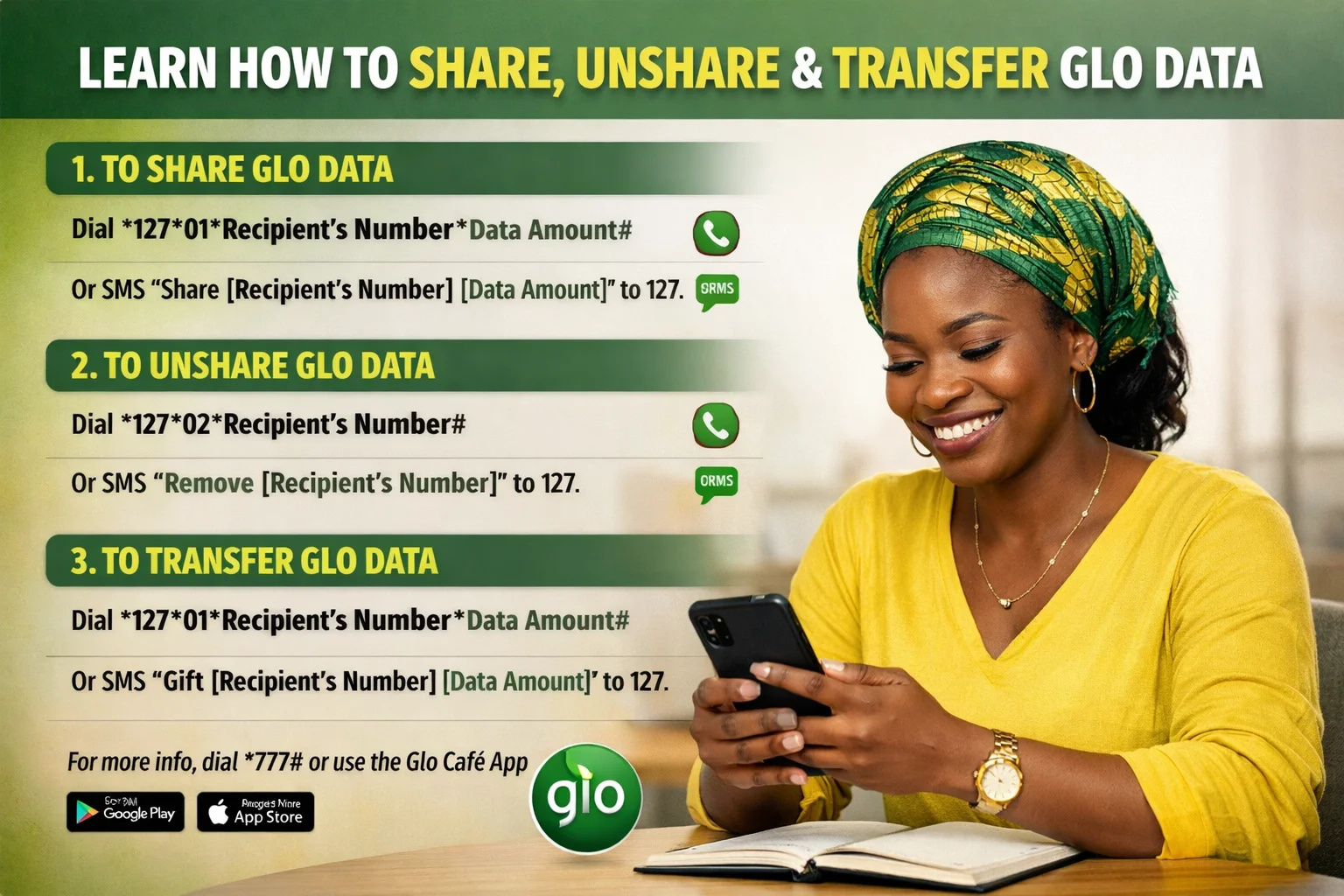
Glo Data Sharing 2026: How to Share, Gift and Transfer Data
Glo provides two ways to send mobile data to other users: Data Sharing and Data Gifting. Data Sharing allows other Glo users to use data from your active bundle, and the system deducts it from your plan while they browse. Data Gifting lets you buy a new data bundle for another Glo user using your airtime, and the recipient receives a separate plan with its own validity period.
Also, this guide explains how both options work in 2026. It shows how to share and gift data, manage beneficiaries, and solve common problems simply and clearly.
What Is Glo Data Sharing?
Glo Data Sharing lets a Glo subscriber share an active data bundle with other Glo users so multiple people browse from one plan instead of separate subscriptions. It is commonly used in homes, schools, and small groups to reduce data costs.
How It Works
Glo Data Sharing works in two ways. First, Shared Data Access allows a user to add Glo numbers to a sharing list. Added users automatically use data from the main bundle when they go online, and the owner controls access and can remove users at any time. Second, Data Transfer sends a fixed data amount to another Glo number as a one-time gift. The recipient then owns the data.
Benefits
It reduces data costs. It also supports shared use in families and groups. In addition, it provides quick data support and gives full control over connected users.
Difference Between Sharing and Gifting
Sharing provides continuous access to one bundle, allowing multiple users to browse at the same time. However, gifting sends data once, giving full ownership to the recipient without ongoing access.
A similar comparison exists on other networks, such as MTN data sharing and transfer, which uses a different structure and set of codes.
How to Share Glo Data
Glo data sharing works via USSD, SMS, the Glo Café app, and the Glo self-care portal.
USSD Method
Share via *777#
- Dial *777#
- Select Data Services
- Select Share Data Plan
- Choose Add Beneficiary or Transfer Data
- Enter recipient number
- Select data amount
- Confirm
Direct Transfer via *127#
- Dial *127*00*RecipientNumber#
- Confirm
Manage Beneficiaries via *127#
- Dial *127#
- Select Data Share
- Add: *127*01*Number#
- Remove: *127*02*Number#
- View list: *127*00#
SMS Method
- Send: SHARE 080XXXXXXXX 100MB
- Send to 127
- Confirm
Alternative: Share [number] [data amount] to 127
Glo Café App
- Open Glo Café app
- Select Data or Services
- Select Share Data or Data Gifting
- Enter recipient number
- Select data amount
- Confirm
Self-Care Portal
- Log in to GloWorld self-care portal
- Open Data Services
- Select Share or Transfer Data
- Enter recipient number
- Confirm
How to Gift Glo Data (Available Methods)
USSD Transfer
• Dial 312# and select data gifting
• Dial 12701recipient number# to send data
• Use *321# where available
SMS Method
• Send: Share [amount] [recipient number] to 127
• Wait for confirmation
Menu Option
• Dial *312# or *777#
• Select Data
• Choose Gift or Share Data
• Enter recipient number
• Confirm with PIN
How To Complete A Data Gift
• Check data balance with *323#
• Choose USSD, SMS, or menu
• Enter recipient number
• Select data amount
• Confirm transfer and wait for SMS
• Sender and receiver get a confirmation message
Glo Data Sharing Limits
Maximum Recipients
Glo allows a limited number of users per data bundle.
- Limit: 5–10 recipients per plan, depending on bundle type
- Managed via:
- USSD: *321#
- SMS: “List” to 127
The system blocks new additions once the limit is reached.
Supported Data Plans
Eligible Plans
- Monthly data bundles
- Large-volume bundles (multi-GB and above)
- 2-month, 3-month, and yearly bundles
- Selected weekly bundles
Not Supported
- Daily data plans
- Night and weekend bundles
- Social media or app-specific bundles
- Promotional or bonus data bundles
Usage Restrictions
- All recipients share one data pool
- No extra data is added for sharing
- Heavy usage by one user can reduce speeds for others
- Shared data expires with the main bundle
- Only the owner can add or remove recipients
- Some promotional plans block sharing
- Certain bundles restrict access to specific apps
Glo Data Sharing Eligibility
Only active Glo prepaid and postpaid users with an active data bundle can share data. They must keep a valid subscription with sufficient balance, and both sender and recipient must use Glo SIMs. Before sharing or gifting data, users should confirm their available balance to avoid failed transactions. A simple guide on how to check Glo data balance is available here.
Additionally, all active data bundles qualify, including daily, weekly, monthly and special plans. The system deducts shared data from the main bundle, and it expires with the original plan. When the plan ends, shared access stops.
Recipients must use active Glo SIMs. The network allows a limited number of beneficiaries per line, usually up to five. Users add numbers directly, and recipients gain immediate access to the shared data without separate subscriptions.
Common Problems
Glo data sharing problems come from wrong USSD input, inactive bundles, eligibility limits, or network issues.
Glo Data Sharing Code Not Working
Causes
- Wrong USSD format
- Network congestion
- Data sharing not active
- Expired bundle
- SIM or service restriction
Solutions
- Use correct USSD code (e.g. 12701*[number]*[MB]# where applicable)
- Restart phone and retry
- Check active data balance
- Ensure recipient uses Glo network
- Retry during stable network
Unable to Gift Data
Causes
- Low airtime balance
- Wrong transfer PIN
- Service not activated
- Plan not allowed for gifting
- Unsupported bundle type
Solutions
- Add airtime and retry
- Reset or set transfer PIN
- Activate gifting service
- Use eligible data plan
- Retry when network is stable
Recipient Cannot Use Shared Data
Eligibility checks
- Both users must use Glo network
- No conflicting active bundle
- Data must still be valid
Network or device issues
- Weak signal
- Wrong APN settings
- Background data restriction
- Phone restart needed after transfer
Data Sharing Request Failed
Incorrect number
- Wrong digits entered
- Number not active or invalid
Solution: verify number before sending
Unsupported plan
- Promo bundles not allowed
- Night plans not supported
- Some bundles limit sharing
Network problems
- Network congestion
- System maintenance
- Service outage in some areas
Final fix
Check details again, then retry later or change location if the issue continues.
How to Stop Sharing Glo Data
Remove recipient
USSD
Dial:
*127*02*recipient number#
Example:
*127*02*08051234567#
Confirmation removes the number from your shared list.
USSD menu
Dial *127#
Select:
- Data
- Share Data Plan
- Unshare
- Enter number to remove
SMS
Send:
Remove [phone number] to 127
Disable data sharing
Remove all users
Dial *127#
Open Share Data Plan
Delete each number manually
Glo Café app
Open Share Data section
Remove all listed numbers
Note: Data sharing stays active until every recipient gets removed.
Frequently Asked Questions
How do I share Glo data?
Dial *777#, go to Data, then select Share Data and add the number.
How do I gift Glo data?
Dial *127*00*recipient number# and follow the prompts.
Is Glo data sharing free?
Yes. No extra charge, only your data bundle is used.
Who can use Glo data sharing?
Only active Glo users with an active data plan.
Why is Glo data sharing not working?
Wrong number, no data bundle, network issue, or unsupported plan.
Can I stop sharing data?
Yes. Dial *127*02*recipient number# to remove a user.
Who is eligible for Glo data sharing?
Active Glo prepaid users with an active data bundle can share data with other Glo numbers.
Conclusion
Glo offers two ways to transfer mobile data: Data Sharing and Data Gifting. Data Sharing works when many users use one data bundle over time. All users access the same plan until it finishes.
In contrast, Data Gifting sends a separate data plan to another Glo line. The recipient gets full control and a new expiry date. Both methods set up quickly through USSD codes, SMS, or the Glo Café app.
Users should choose Data Sharing for group use and Data Gifting for sending data to one person.