
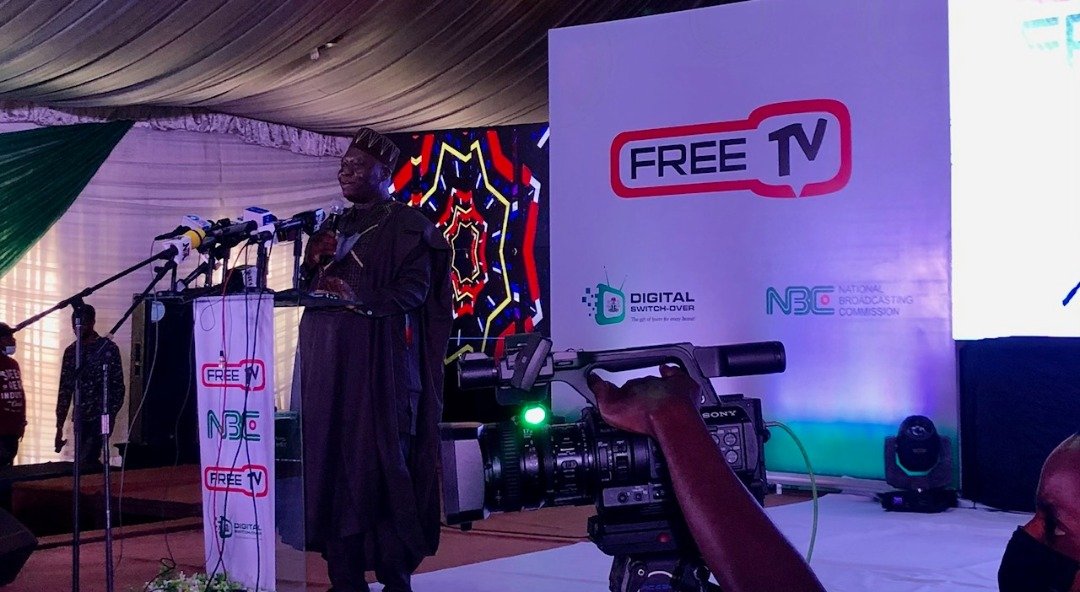
Free TV Nigeria: Complete Guide To Free Channels, Decoders, Setup And Coverage
Free TV Nigeria, commonly known as FreeTV, provides Nigerians with access to free digital television channels through compatible decoders and broadcast technology. This guide covers available channels, decoder options, installation steps, coverage areas and common setup problems.
The platform operates as part of Nigeria’s Digital Switch Over (DSO) programme, which introduced digital television broadcasting to replace analogue transmission.
What Is Free TV Nigeria?
Free TV Nigeria is a free-to-air digital television platform that delivers television channels to Nigerian homes through digital set-top boxes. The service allows viewers to access available broadcast channels without paying a monthly television subscription fee.
The platform uses digital broadcasting technology to improve television transmission quality and provide additional services such as electronic programme guides and digital information services.
FreeTV provides access to:
- Nigerian national channels
- Local and regional channels
- Selected international free-to-air channels
- News and information services
- Entertainment programmes
Users still need compatible equipment, including a FreeTV decoder and suitable reception equipment. While there is no monthly subscription for free-to-air channels, viewers may pay for the decoder, installation and maintenance services.
How Free TV Nigeria Connects To Digital Switchover
The platform operates under Nigeria’s Digital Switch Over initiative, which moved television broadcasting from analogue signals to digital transmission.
The DSO programme introduced digital broadcasting in several Nigerian locations, including Jos, Abuja, Ilorin, Kaduna, Enugu and Osogbo during its early rollout stages.
Digital broadcasting allows broadcasters to transmit television channels more efficiently and supports improved picture quality, sound quality and additional digital features.
How Free TV Nigeria Works
It works by transmitting digital television signals to compatible receiving equipment installed in homes.
A standard setup includes:
- FreeTV set-top box
- External antenna
- Television set
- HDMI or AV connection cable
- Power supply
After connecting the equipment, users activate the decoder, connect the antenna and scan for available channels.
The channels displayed depend on:
- Location
- Signal availability
- Transmission coverage
- Antenna positioning
- Current broadcaster channel lineup
FreeTV states that channel availability depends on region, with 22 basic channels available and additional channels based on local channels available in each state.
Digital Terrestrial Television (DTT)
Digital Terrestrial Television uses broadcast towers to transmit digital signals through the air. Homes receive these signals through an external antenna connected to a digital decoder.
A typical DTT installation requires:
- FreeTV decoder
- Outdoor or suitable external antenna
- Television
- Connection cables
Signal quality depends on the distance between the viewer and the transmission site, surrounding buildings, terrain and antenna placement.
FreeTV recommends connecting the decoder to an external antenna and directing the antenna towards the relevant transmission site for better reception. The platform lists transmission directions for locations including Lagos, Abuja, Kaduna, Enugu, Osun, Jos and Kwara.
Satellite And Other Digital Reception Methods
Digital television services may use different transmission methods depending on the platform and location.
Satellite-based systems require:
- Satellite dish
- Compatible receiver
- Correct dish alignment
Reception quality depends on equipment installation, weather conditions and signal strength.
FreeTV’s primary home service uses digital set-top boxes connected to broadcast reception equipment.
Free TV Mobile Viewing Options
Television viewing is also expanding through internet-connected devices and digital platforms.
Mobile viewing requires:
- Smartphone or tablet
- Internet connection
- Compatible application or streaming platform
- Available data allowance
Mobile streaming differs from traditional FreeTV broadcasting because it depends on internet availability rather than television signal reception.
Free TV Nigeria Channels List (Updated 2026)
Free TV Nigeria channel availability varies by state and transmission coverage. The official FreeTV platform provides 22 basic channels, while additional channels depend on local broadcasters available in each region.
The channels currently associated with FreeTV Nigeria include:
| Channel | Category |
| Channels Television | News |
| TVC News | News |
| African Independent Television (AIT) | News / General Entertainment |
| NTA Parliament | Government / Information |
| NTA 24 | News / Information |
| NTA Abuja | General Entertainment / Local Content |
| Nolly Africa | Movies / Entertainment |
| Kennis Music | Music |
| Silverbird Television | Entertainment |
| Kwese Free Sports | Sports |
| CNBC Africa | Business News |
| 1Music | Music |
| Wazobia TV | Entertainment / Nigerian Content |
| TVC Entertainment | Entertainment |
| GET TV | Entertainment |
| Galaxy Television | General Entertainment |
| Liberty TV | General Entertainment |
| ONYX | Entertainment |
| AWA | Entertainment |
| Pidgin TV | Local Content |
| ITV (Independent Television) | News / Entertainment |
| Dexterity | Entertainment |
| Aso TV | Local Content |
Additional Local Channels
FreeTV Nigeria can include extra state-based channels depending on location. Viewers in different states may receive different channel selections after scanning their decoder.
How Many Channels Does Free TV Nigeria Have?
The number of Free TV Nigeria channels depends on the viewer’s location.
According to FreeTV’s official information, the platform provides 22 basic channels, while additional local channels depend on state availability.
Channel numbers may change when broadcasters:
- Add new channels
- Remove services
- Change transmission arrangements
- Update digital broadcasting systems
Users can check available channels by running a scan through their decoder settings after installation.
How To Watch Free TV in Nigeria
Free TV works with a decoder, antenna and television. The decoder receives digital signals and shows the available channels on the TV.
First, check if the FreeTV service is available in your area. Reception can vary from one location to another. The antenna position and nearby buildings can affect the signal.
A basic setup includes:
- FreeTV decoder
- Antenna
- Television
- HDMI or AV cable
- Remote control
- Power cable
You can use a decoder with many older television sets. A new TV is not always required.
To set up FreeTV:
- Connect the antenna to the decoder.
- Connect the decoder to the television.
- Switch on the TV and decoder.
- Select the correct input.
- Search for channels.
- Save the channels.
The channels you receive depend on the signal available in your area.
Free TV Nigeria Decoder Guide
The Free TV Nigeria decoder connects your television to digital broadcasts. It receives signals from the antenna and displays the channels on your screen.
A good decoder should have:
- HDMI port
- AV port
- Channel search option
- Programme guide
- Remote control
HDMI works with most modern TVs. AV connections help older television models connect to the decoder.
Before buying a decoder, check that it supports FreeTV services. Also check the warranty, accessories and installation support.
Free TV Decoder Price And Installation Cost In Nigeria
The cost of Free TV Nigeria depends on the equipment you buy and the installation required.
You may pay for:
- Decoder
- Antenna
- Cables
- Installation
- Extra accessories
Prices differ between sellers and locations. Some homes may need extra work if the antenna requires a better position.
Check what comes with the decoder before purchase. Some packages may include accessories, while others may require separate purchases.
Installation Guide
Installing Free TV Nigeria involves connecting the decoder, setting up the antenna and finding channels.
You need:
- FreeTV decoder
- Television
- Antenna
- HDMI or AV cable
- Power cable
- Remote control
Place the antenna where it can receive a clear signal. Outdoor locations often provide better reception.
Follow these steps:
- Connect the antenna to the decoder.
- Connect the decoder to the TV.
- Turn on both devices.
- Choose the correct input on the TV.
- Open the decoder menu.
- Start a channel search.
If no channels appear, check the antenna position and cable connections. Move the antenna if needed, then scan again.
Coverage By State
Free TV Nigeria is available in areas covered by digital broadcast signals. Coverage differs across Nigeria because transmission strength is not the same in every location.
The Digital Switch Over programme has introduced digital television services in several parts of the country. However, two homes in the same city may receive different results because of their surroundings and equipment setup.
Cities such as Lagos, Abuja, Kaduna, Kano, Port Harcourt and Ibadan have digital broadcasting services.
Before installation, check:
- Signal strength in your area
- Antenna position
- Decoder compatibility
- Channels found after scanning
Running a channel scan shows the FreeTV channels available at your location.
DStv, GOtv And Startimes Compared
Free TV Nigeria, DStv, GOtv and Startimes are television options available to Nigerian viewers. They differ in pricing, channel selection and how users access their content.
Free TV Nigeria uses digital broadcast signals. Viewers pay for the decoder and installation, but they do not pay a monthly fee for available channels.
DStv, GOtv and Startimes work through subscription plans. Users pay regularly based on the package they choose.
| Feature | Free TV Nigeria | DStv | GOtv | Startimes |
| Monthly subscription | No fee for available free channels | Required | Required | Required |
| Decoder | Required | Required | Required | Required |
| Initial setup | Decoder and installation costs may apply | Decoder and installation costs may apply | Decoder and installation costs may apply | Decoder and installation costs may apply |
| Channel range | Available digital channels | Large local and international lineup | Local entertainment and selected sports | Entertainment, news and sports |
| Sports access | Limited | More sports options | Selected sports channels | Selected sports channels |
| Nigerian channels | Available | Available | Available | Available |
Is Free TV Nigeria Really Free?
Free TV Nigeria does not charge a monthly subscription fee for its available channels.
However, viewers still need equipment before they can watch television. The cost may include:
- Decoder
- Antenna
- Installation
- Cables
- Maintenance
The amount spent depends on the equipment needed and the installation work required.
Free TV Nigeria On Mobile Devices
Most viewing happens through a decoder and a television setup. Some viewers also look for mobile options.
Mobile viewing requires:
- Smartphone or tablet
- Internet connection
- Compatible streaming service
- Data plan
A decoder receives broadcast signals through an antenna. Mobile viewing uses an internet connection instead.
Before installing any app that claims to offer FreeTV channels, users should confirm that it comes from a reliable source.
Problems And Fixes
Most viewing problems come from signal issues, cable connections or decoder settings.
No Signal Problem
A no signal message means the decoder cannot receive a proper broadcast signal.
Possible causes include:
- Poor antenna position
- Loose cable connection
- Weak reception area
- Decoder settings
Possible fixes:
- Check the antenna cable.
- Adjust the antenna position.
- Restart the decoder.
- Scan for channels again.
Missing Channels
Some channels may disappear after changes to the broadcast service or when the decoder needs a new scan.
Users can:
- Search for channels again.
- Check the signal level.
- Restart the equipment.
The available channels may change depending on the location.
Poor Picture Quality
Picture problems often happen when the signal is weak or connections are faulty.
Check:
- Antenna position
- Cable connections
- Signal level
- TV input source
Moving the antenna or securing loose cables may improve the picture.
Frequently Asked Questions
Is Free TV Nigeria Free?
Yes. It does not require a monthly subscription for its available free channels. However, viewers need to buy the required equipment, such as a decoder and antenna, before they can access the service.
Installation costs may also apply depending on the equipment needed and the installer’s charges.
How Many Channels Are Available On Free TV Nigeria?
Free TV Nigeria provides 22 basic channels, while additional local channels may be available depending on the viewer’s location.
The channel list can change when broadcasters add, remove or update services. Running a channel scan on the decoder shows the current channels available in an area.
Do I Need Internet To Watch Free TV Nigeria?
No. The main Free TV Nigeria service does not require internet access.
The decoder receives television signals through an antenna connected to the system. Internet access is only needed for online streaming services or mobile viewing options.
Which Decoder Works With Free TV Nigeria?
Free TV Nigeria requires a compatible digital set-top box that supports the service.
A suitable decoder should have:
- Digital broadcast support
- HDMI or AV connection options
- Channel scanning function
- Remote control
Viewers should confirm decoder compatibility before purchase.
Can I Watch Sports On Free TV Nigeria?
Sports content is available on some free television channels, but the selection depends on the channels available in the viewer’s location.
Premium sports competitions are usually available through paid television platforms.
Is Free TV Nigeria Available Nationwide?
Free TV Nigeria coverage depends on digital transmission availability in each area.
Some locations receive stronger signals than others because of differences in transmission coverage, terrain and installation conditions.
Viewers should scan their decoder after installation to check available channels in their location.
Can I Use My Old Decoder For Free TV Nigeria?
No. Free TV Nigeria requires a compatible digital decoder.
Older subscription decoders from other providers may not support FreeTV channels unless they meet the required technical standards.
How Do I Scan Free TV Nigeria Channels?
To scan channels:
- Connect the antenna and decoder.
- Turn on the television and decoder.
- Open the decoder menu.
- Select the channel search option.
- Start an automatic scan.
- Save the channels found.
The scan results depend on the signal received at the installation location.
Final Setup Checklist
Before using Free TV Nigeria, confirm that:
- The decoder is compatible.
- The antenna is connected correctly.
- The television input is set properly.
- The signal strength is sufficient.
- A channel scan has been completed.
Free TV Nigeria provides access to digital television channels without monthly subscription payments, but availability depends on equipment setup and broadcast coverage in each location.