
MTN Router Price Nigeria (2026): Latest 4G & 5G Prices, Data Plans, Reviews, Setup, Buying Guide
Looking for the latest MTN router price in Nigeria? This guide compares the newest MTN 4G and 5G routers, broadband plans, activation bonuses, coverage, setup process and buying tips to help you choose the right device.
MTN remains one of the biggest internet providers in Nigeria. The company offers 4G and 5G broadband routers with different price points to suit different budgets. Each router also comes with broadband plans designed for light users, families and businesses.
If you want to buy an MTN router, you should look beyond the price. You should also compare the router’s speed, network coverage, supported devices, bundled data offers and monthly broadband plans. These factors affect the total cost of owning the router.
NetTechN.com explains the latest MTN router price in Nigeria, the available 4G and 5G models, their features, broadband plans, setup process and where to buy genuine devices.
MTN Router Price in Nigeria (Updated July 2026)
The MTN router price in Nigeria depends on the router model, bundled offers and any ongoing promotions.
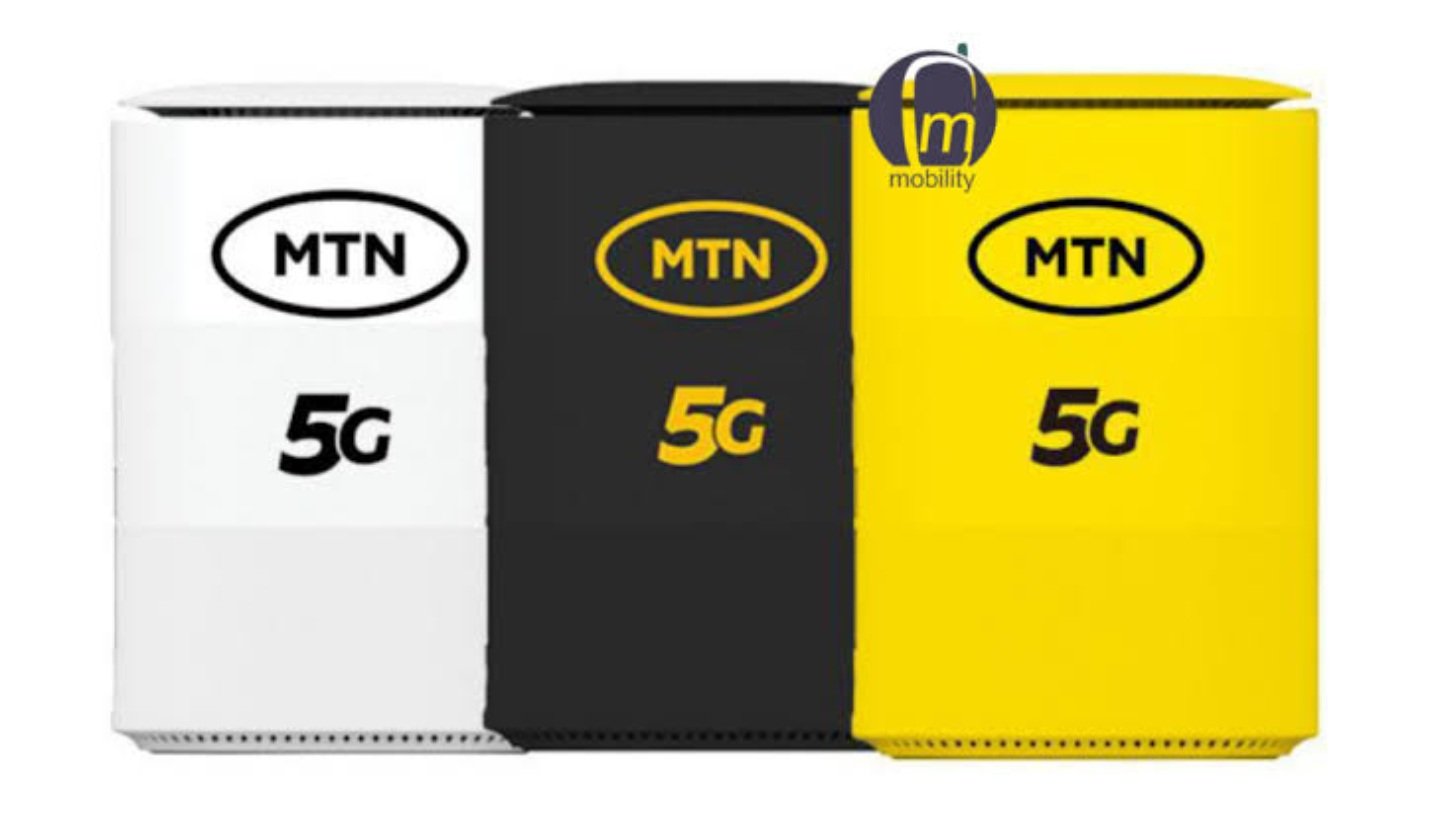
MTN currently sells three main broadband routers in Nigeria. They include the Standard 4G Router, the Premium 4G Router and the 5G Broadband Router.
If you are comparing the latest MTN router prices in Nigeria, the table below shows the official prices, available models, broadband plans, and the total cost of ownership.
| MTN Router | Network | Official Price | Best For |
| MTN 4G Router (Standard) | 4G LTE | ₦20,000 | Individuals and small families |
| MTN 4G Router (Premium) | 4G LTE | ₦40,000 | Homes and small businesses |
| MTN 5G Broadband Router | 5G and 4G | ₦80,000 | Heavy internet users, gamers and offices |
These prices come from MTN’s official online shop. Prices from authorised dealers may differ slightly because of delivery costs or promotions.
When comparing routers, remember that the cheapest option does not always offer the best value. A more expensive router may support more connected devices, deliver faster speeds and include a better activation bonus.
MTN 4G Router Price in Nigeria
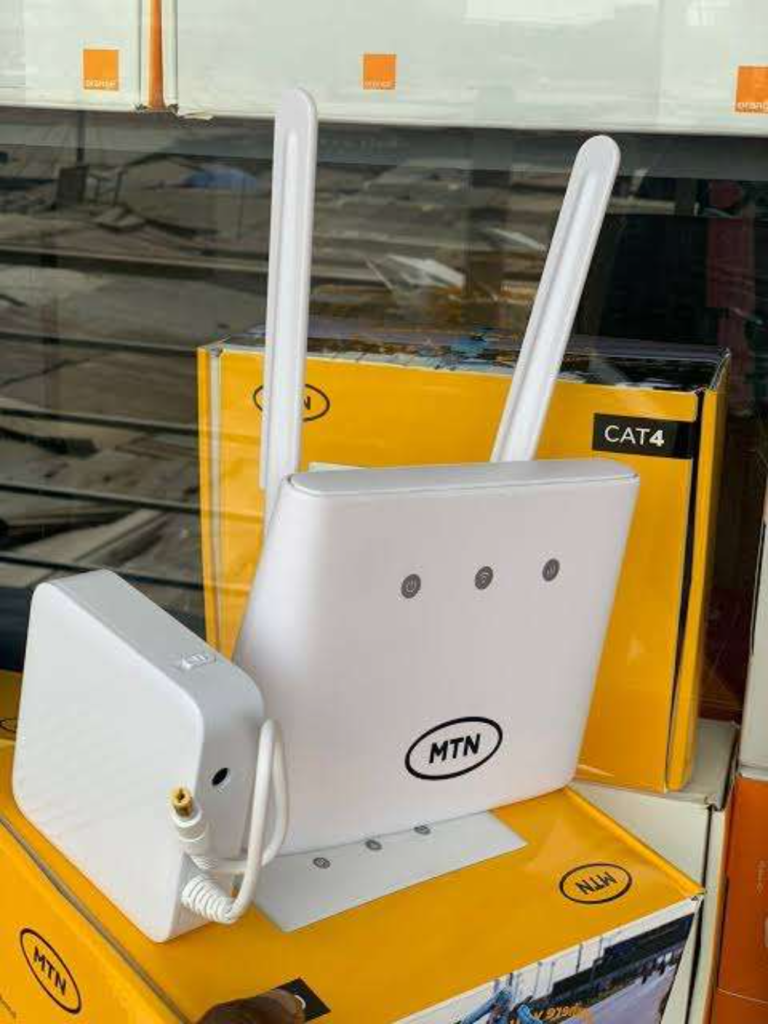
The MTN router price in Nigeria is lower for 4G models, making them a good choice for buyers on a budget.
The 4G Router remains the most popular option for many Nigerians. It costs less than a 5G router and works in many parts of the country where MTN has 4G coverage.
MTN offers two versions of its 4G router.
MTN 4G Router (Standard) Price
The MTN Standard 4G Router sells for about ₦20,000.
This router suits students, remote workers, couples and small families. It creates a Wi-Fi network that several devices can use at the same time without relying on a smartphone hotspot.
Key features include:
- 4G LTE connectivity
- Plug-and-play installation
- Wi-Fi connection for multiple devices
- SIM-based broadband service
- Compact design for home or office use
If you mainly browse the web, stream videos, attend online meetings or use social media, this router offers a practical and affordable choice.
MTN Premium 4G Router Price
The MTN Premium 4G Router costs about ₦40,000.
This model targets users who need better performance and support for more connected devices. It works well in busy homes, shared apartments and small offices where several people use the internet throughout the day.
The Premium Router offers:
- Faster Wi-Fi performance
- Wider wireless coverage inside the building
- Support for more connected devices
- Better performance during heavy internet use
- Easy setup and management
If several people stream videos, join video meetings or download large files at the same time, the Premium Router offers a better experience than the standard model.
MTN 5G Router Price in Nigeria
Buyers looking for the fastest broadband speeds often compare the MTN router price in Nigeria before choosing a 5G model.
The MTN 5G Broadband Router is MTN’s fastest home internet device. It currently sells for about ₦80,000.
This router connects to MTN’s 5G network where the service is available. If 5G is not available in your area, the router automatically switches to the 4G network. This feature helps users stay connected without changing any settings.
The MTN 5G Router is suitable for:
- Large families
- Remote workers
- Small and medium-sized businesses
- Online gamers
- Content creators
- People who stream high-quality videos every day
Its main features include:
- 5G and 4G network support
- High-speed wireless internet
- Stable connection for many devices
- Easy installation
- Modern Wi-Fi technology
- Automatic network switching
Although the 5G router costs more than the 4G models, it offers higher performance in locations where MTN’s 5G network is available.
Before buying this router, check whether MTN has expanded 5G coverage to your city or neighbourhood.
MTN Router Price Comparison
Choosing the right router depends on your internet needs rather than the price alone.
| Feature | Standard 4G Router | Premium 4G Router | MTN 5G Router |
| Price | ₦20,000 | ₦40,000 | ₦80,000 |
| Network | 4G | 4G | 5G and 4G |
| Best For | Personal use | Families and offices | Heavy internet users |
| Internet Speed | Good | Better | Fastest |
| Connected Devices | Multiple | More devices | Highest capacity |
| Coverage | MTN 4G areas | MTN 4G areas | MTN 5G with 4G fallback |
If your area only has 4G coverage, buying the Premium 4G Router may offer better value than paying more for a 5G device.
However, if your area already has strong MTN 5G coverage and you use the internet every day for work or entertainment, the 5G Router gives you room to enjoy faster downloads and smoother streaming.
MTN Router Specifications
Before buying any router, compare its specifications. These details tell you how well the router will perform under different conditions.
MTN Standard 4G Router Specifications
The Standard 4G Router focuses on everyday internet use.
Main specifications include:
- 4G LTE network support
- Wireless Wi-Fi connection
- Nano SIM support
- Plug-and-play installation
- Compact desktop design
- Secure Wi-Fi password protection
- Suitable for homes and small offices
The router works well for web browsing, online banking, emails, virtual classes and video streaming.
MTN Premium 4G Router Specifications
The Premium Router improves on the standard model by offering stronger wireless performance and support for more users.
Its features include:
- 4G LTE connectivity
- Improved Wi-Fi coverage
- Better hardware performance
- Support for more connected devices
- Secure wireless network
- Fast installation
- Stable internet for homes and offices
This router performs better when several users connect at the same time.
MTN 5G Router Specifications
The MTN 5G Router delivers the highest performance among MTN’s broadband devices.
Its key specifications include:
- 5G network support
- Automatic 4G fallback
- High-speed wireless internet
- Modern Wi-Fi technology
- Support for many connected devices
- Low-latency connection for gaming and video calls
- Easy management through the router settings page
This router works best for households and businesses that depend on fast and reliable internet throughout the day.
The next section explains MTN router data plans, activation bonuses and the monthly broadband packages available after buying your router.
MTN Router Data Plans (July 2026)
The MTN router price in Nigeria is only part of the total cost because you also need a monthly broadband plan before you can browse the internet.
MTN offers different broadband plans for light users, families, remote workers and businesses. You can buy a plan that matches your monthly internet use.
The table below shows some popular MTN broadband plans.
| Data Plan | Price | Validity | Best For |
| 30GB | ₦9,000 | 30 Days | Light users |
| 60GB | ₦14,500 | 30 Days | Small families |
| 120GB | ₦24,000 | 30 Days | Heavy users |
| 450GB | ₦75,000 | 90 Days | Homes and small businesses |
| 1.5TB | ₦225,000 | 365 Days | Offices and large families |
MTN may update these plans from time to time. Always check the latest prices before you renew your subscription.
Which MTN Broadband Plan Should You Choose?
The right plan depends on how you use the internet.
Choose the 30GB plan if you mostly browse websites, read emails and use social media.
The 60GB plan suits couples or small families. It gives enough data for streaming, video calls and online classes.
The 120GB plan works well if several people use the internet every day.
The 450GB plan is a good choice for small businesses, cyber cafés and large families.
The 1.5TB plan suits offices or homes where many people stream videos, attend meetings or download large files every day.
MTN Unlimited Broadband Plans
MTN also offers unlimited broadband packages in selected locations.
These plans remove the worry of running out of data before the end of the month.
Unlimited plans suit people who:
- Work from home
- Watch movies every day
- Play online games
- Upload videos regularly
- Run small businesses
- Connect many devices
The available packages and speeds may differ by location. You should check whether MTN offers unlimited broadband service in your area before you subscribe.
MTN Router Activation Bonus
Many people ask whether MTN gives free data when they buy a new router.
The answer is yes.
MTN often rewards new router buyers with an activation bonus. The bonus depends on the router model and the promotion running when you buy the device.
The activation bonus usually starts after you activate your router and meet the required conditions.
The offer may include:
- Free broadband data
- Bonus data for a limited period
- Access to selected broadband plans
Since MTN changes promotions from time to time, always check the current offer before you buy a router.
How to Claim Your MTN Router Bonus
Claiming your activation bonus is simple.
Follow these steps.
- Insert the MTN SIM card into the router.
- Connect the router to power.
- Wait for the network signal.
- Connect your phone or computer to the router’s Wi-Fi.
- Complete the activation process if required.
- Buy the required broadband plan if the promotion asks for one.
- Wait for the bonus to appear on your account.
If you do not receive your bonus after activation, contact MTN customer care or visit the nearest MTN Experience Centre for help.
MTN 4G Router vs MTN 5G Router
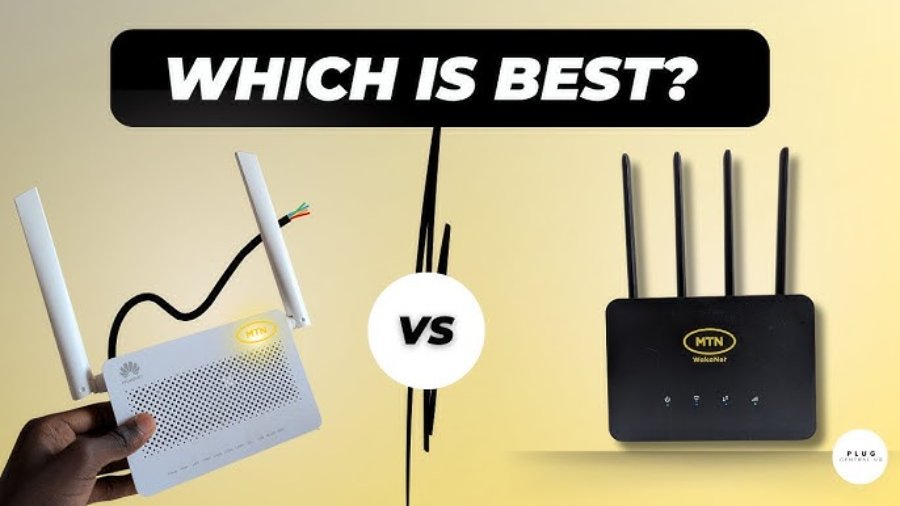
Many buyers struggle to choose between the 4G and 5G routers.
The comparison below makes the decision easier.
| Feature | MTN 4G Router | MTN 5G Router |
| Starting Price | Lower | Higher |
| Internet Speed | Fast | Faster |
| Network | 4G LTE | 5G with 4G backup |
| Coverage | Widely available | Limited to 5G areas for full speed |
| Streaming | Very good | Excellent |
| Gaming | Good | Better |
| Video Calls | Smooth | Very smooth |
| Large Downloads | Good | Faster |
The MTN 4G Router remains the better option if your area does not have 5G coverage.
The MTN 5G Router makes more sense if you already live in a city with MTN 5G service and you use the internet for work, streaming or gaming every day.
MTN Router vs Airtel, Spectranet and FibreOne
Choosing the right internet service depends on where you live and how you use the internet. MTN and Airtel use mobile networks, so you can move their routers from one location to another. Spectranet and FibreOne mainly serve fixed locations and offer home broadband in selected cities.
| Provider | Network Type | Starting Router Price* | Coverage | Best For |
| MTN | 4G & 5G | From ₦20,000 | Nationwide | Homes, remote workers and small businesses |
| Airtel | 4G & 5G | Varies by model | Nationwide | Mobile broadband and everyday use |
| Spectranet | 4G LTE & Fixed Wireless | From ₦25,000 | Lagos, Abuja, Ibadan and selected cities | Heavy home internet users |
| FibreOne | Fibre Broadband | Installation varies by location | Selected estates and cities | Homes and offices that need unlimited fibre internet |
*Prices may change with promotions or device bundles.
MTN 5G Coverage in Nigeria
MTN continues to expand its 5G network across Nigeria.
The service is already available in many major cities. More locations join the network as MTN expands its coverage.
If your area has no 5G signal yet, the MTN 5G Router will switch to the 4G network automatically. You can still browse the internet without changing any settings.
Before buying a 5G router, check whether MTN has launched 5G service in your location.
How to Check MTN 5G Coverage
You can check 5G coverage in a few minutes.
You can:
- Visit the MTN coverage map.
- Ask at the nearest MTN Experience Centre.
- Contact MTN customer care.
- Ask an authorised MTN dealer before buying the router.
Checking coverage first can help you choose the right router and avoid spending more than you need.
MTN 5G Coverage in Nigeria (City-by-City Guide)
The table below highlights some of the major cities where MTN has rolled out 5G services or is actively expanding coverage.
| City | State | MTN 5G Availability | Notes |
| Lagos | Lagos | Yes | One of the first cities with commercial 5G coverage. |
| Abuja | FCT | Yes | Strong coverage in many business and residential districts. |
| Ibadan | Oyo | Yes | Available in selected parts of the city, with ongoing expansion. |
| Port Harcourt | Rivers | Yes | Coverage continues to grow across key areas. |
| Kano | Kano | Yes | Available in selected districts. |
| Benin City | Edo | Yes | MTN has expanded 5G coverage to parts of the city. |
| Owerri | Imo | Yes | Available in selected locations. |
| Maiduguri | Borno | Yes | One of the early rollout cities. |
| Abeokuta | Ogun | Selected Areas | Coverage continues to expand. |
| Enugu | Enugu | Selected Areas | Available in parts of the city. |
| Warri | Delta | Selected Areas | Limited coverage in some neighbourhoods. |
| Ile-Ife | Osun | Selected Areas | 5G service is available in parts of the town. |
| Ifo | Ogun | Selected Areas | Expansion is ongoing. |
Which MTN Router Gives the Best Value?
The best router depends on your budget and internet needs.
Choose the Standard 4G Router if you want an affordable internet solution for everyday use.
Go for the Premium 4G Router if several people use the internet in your home or office.
Choose the MTN 5G Router if your area has 5G coverage and you need the fastest speeds for streaming, gaming, remote work or running a business.
Buying the right router from the beginning can save you money in the long run because you will not need to upgrade as your internet needs grow.
Where to Buy an Original MTN Router in Nigeria
Before paying the MTN router price in Nigeria, compare offers from the MTN Online Shop and authorised dealers.
Buying a genuine MTN router matters just as much as choosing the right model. An authorised seller gives you a valid warranty, access to the latest activation offers and support if something goes wrong.
MTN Online Shop
The MTN Online Shop is the safest place to buy a new router. It lists the latest models, official prices and current promotions. Since the devices come directly from MTN, you do not have to worry about buying a used or counterfeit product.
MTN Experience Centres
If you prefer to speak with someone before making a decision, visit an MTN Experience Centre. The staff can explain the differences between the available routers and help you choose one that suits your needs.
They can also activate your router, recommend a broadband plan and answer any questions about setup or network coverage.
Authorised MTN Dealers
Many authorised dealers sell MTN routers across Nigeria. Before you pay, check that the box is sealed and ask for a receipt. You should also confirm that the router comes with a warranty.
Taking a few minutes to verify these details can save you problems later.
Online Marketplaces
You will also find MTN routers on popular online shopping platforms. Prices sometimes look attractive, but compare them with the official MTN price before placing an order.
Read customer reviews carefully and choose sellers with a strong track record. If a deal looks too good to be true, it is worth asking a few questions before buying.
How to Set Up an MTN Router
After paying the MTN router price in Nigeria, setting up the router usually takes only a few minutes. You do not need any special technical skills.
Insert the SIM Card
Open the SIM slot and insert the MTN SIM card correctly. Once it is in place, close the slot and connect the router to power.
Turn On the Router
Switch on the router and wait for the indicator lights to settle. This shows that the device has finished starting up.
Connect Your Phone or Computer
Find the default Wi-Fi name and password on the label attached to the router. Use those details to connect your phone, laptop or tablet.
Open the Router Settings
Launch a web browser and enter the router’s default address. Sign in with the default login details if prompted.
Change the Wi-Fi Password
Do not keep the factory password. Create a new one that combines letters, numbers and symbols. A stronger password helps keep strangers off your network.
Test the Connection
Open a few websites or stream a short video. If everything loads without issues, your router is ready to use.
Common MTN Router Problems and How to Fix Them
Most connection problems do not require a new router. A few simple checks often solve the issue.
The Router Connects but There Is No Internet
Start by checking your data balance. An expired broadband plan is one of the most common causes of this problem.
Next, look at the signal bars on the router. If the signal is weak, move the device closer to a window or another open area. After that, restart the router and allow it to reconnect to the network.
Slow Internet Speed
Several factors can reduce your internet speed. Heavy network traffic, weak signal strength or too many connected devices can all affect performance.
Try moving the router to a better location. Disconnect devices that nobody is using and test the connection again.
The Wi-Fi Keeps Disconnecting
Frequent disconnections often point to poor signal strength or router placement.
Keep the router in an open space with good airflow. Avoid placing it behind furniture, inside cupboards or next to large metal objects, as these can weaken the Wi-Fi signal.
Forgotten Wi-Fi Password
If you forget your password, log in to the router settings page and create a new one. If you can no longer access the settings, perform a factory reset and complete the setup again.
How to Reset an MTN Router
Only reset the router after trying the other solutions. Press and hold the Reset button for several seconds until the device restarts.
A factory reset removes your customised settings, so you will need to set up the router again.
Is an MTN Router Worth Buying in 2026?
For many households and small businesses, the answer is yes.
Although the MTN router price in Nigeria is important, network coverage should guide your final decision.
A dedicated router gives you a more stable connection than a mobile hotspot. It also allows several people to browse, stream or work online at the same time.
The Standard 4G Router suits everyday tasks such as web browsing, social media, emails and online classes.
If several people share the same connection every day, the Premium 4G Router offers stronger performance and handles heavier internet use more comfortably.
The 5G Router is the best choice for users who live in areas with MTN 5G coverage. It delivers faster downloads and smoother performance for video streaming, online gaming and large file transfers.
Before spending more on a 5G router, confirm that MTN has 5G service in your location. If your area only has 4G coverage, a Premium 4G Router may offer better value.
Our Assessment and Buying Advice
We did not carry out hands-on testing for every MTN router featured in this guide. Instead, we compared the official specifications, current retail prices, available broadband plans and coverage information published by MTN. We also considered how each router fits different types of users based on its features and network support.
If you only need Wi-Fi for web browsing, social media, online classes and video calls, the Standard MTN 4G Router offers the lowest entry price and should meet the needs of most individuals and small households.
The Premium MTN 4G Router is a better choice if several people share the same internet connection. It can handle heavier daily use, making it suitable for families and small offices.
The MTN 5G Router makes the most sense if you already have MTN 5G coverage where you live or work. Faster download speeds and lower latency can improve video streaming, large file transfers and online gaming. Without 5G coverage, however, paying extra for a 5G router may not provide much benefit because the device will connect to the 4G network instead.
Before buying any router, check MTN’s network coverage for your exact location. A strong signal often has a greater impact on your internet experience than the router itself.
We also recommend comparing the total cost of ownership, not just the purchase price. A cheaper router paired with an expensive monthly data plan may cost more over time than a slightly more expensive router with a plan that better matches your internet use.
Finally, buy from the MTN Online Shop, an MTN Experience Centre or another authorised dealer whenever possible. Doing so helps ensure that you receive a genuine device, warranty support and any activation bonuses available at the time of purchase.
Frequently Asked Questions
How much is an MTN router in Nigeria?
The Standard MTN 4G Router starts at about ₦20,000. The Premium 4G Router costs around ₦40,000, while the MTN 5G Router sells for about ₦80,000.
Does an MTN router include free data?
MTN usually offers an activation bonus with new routers. The amount of free data depends on the router model and the promotion available when you buy it.
Which MTN router is best for home use?
That depends on your internet needs. The Standard 4G Router works well for light use, while the Premium model suits families with several connected devices. Choose the 5G Router if your area has 5G coverage and you want the fastest speeds.
Can several devices connect to one MTN router?
Yes. Phones, laptops, smart TVs and tablets can all share the same Wi-Fi connection. The number of supported devices varies by router model.
Can I use an MTN router anywhere in Nigeria?
The router works anywhere MTN provides network coverage. Your browsing experience will depend on the signal strength in your location.
Is the MTN 5G Router worth the extra cost?
If 5G is available where you live, the higher speed can make a noticeable difference when streaming, gaming or downloading large files. Without 5G coverage, a 4G router is often the more sensible choice.
Which MTN broadband plan should I choose?
Choose a plan that matches your monthly internet use. Light users can save money with smaller bundles, while larger households and businesses usually benefit from higher-capacity plans.
How often does the MTN router price in Nigeria change?
The MTN router price in Nigeria may change when MTN updates its devices, launches new promotions or adjusts broadband bundles.
Final Thoughts
Start by checking the network coverage in your area before choosing a router. Then compare the device price, broadband plans and any activation offers that come with your purchase.
The Standard 4G Router remains a good option for everyday browsing. The Premium 4G Router suits busy households and small offices, while the 5G Router is the strongest choice for users who already have access to MTN’s 5G network.
Buying from an authorised MTN seller also gives you added peace of mind. You get a genuine device, warranty support and access to official promotions.